WCAG 2.2
WCAG 2.2 Explained: the Accessibility Guidelines for Websites
WCAG 2.2 is the international standard for accessible websites and apps. You will read what the guidelines involve, what levels A, AA and AAA mean, and why accessibility is worth the effort.
What is WCAG 2.2?
WCAG stands for Web Content Accessibility Guidelines. The guidelines were drawn up by the W3C and describe how to make web content accessible to people with a visual, auditory, motor or cognitive disability. WCAG 2.2 was published in October 2023 as an official W3C recommendation and builds on WCAG 2.1 and 2.0.
The guidelines consist of success criteria: testable requirements, each with a level. Because a criterion is testable, you can establish whether a page meets it.
Levels A, AA and AAA
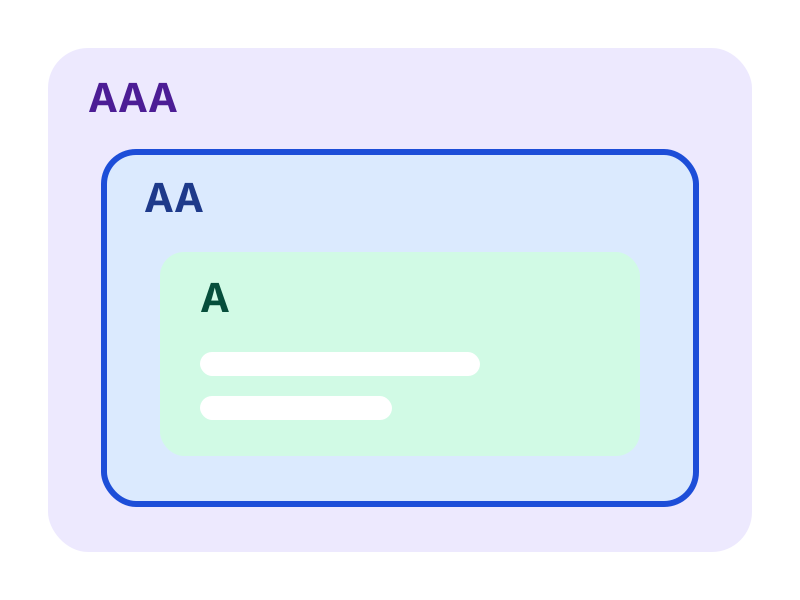
Every success criterion belongs to a level. A higher level also includes the criteria of the levels below it.
Level A: the foundation
Without these requirements, parts of your website are unusable for some visitors, such as images without alternative text or functions that do not work with the keyboard.
Level AA: the common target
Laws, regulations and clients usually refer to level AA. It sets requirements for colour contrast, visible focus, clear error messages and adaptation to zooming and small screens, among other things.
Level AAA: the highest bar
The W3C does not recommend setting AAA as a goal for an entire website, because not all content can meet all AAA criteria. You can apply individual AAA criteria where they fit.
The four principles behind WCAG
The criteria are grouped under four principles, together known as POUR.
Perceivable
Information and interface components can be perceived by every visitor. Think of alternative text, captions, sufficient contrast and text that scales well.
Operable
Controls and navigation work for everyone, including without a mouse. Think of keyboard operation, enough time, no flashing content and clear navigation.
Understandable
Information and controls are understandable: readable language, predictable pages and help with filling in forms.
Robust
Content works with current and future browsers and assistive technology such as screen readers. This calls for a well-built website, so assistive technology recognises every component.
What is new in WCAG 2.2?
WCAG 2.2 adds nine success criteria. They are mainly intended for people with a cognitive disability or limited motor skills, and for users of mobile devices. Criterion 4.1.1 (Parsing) has been removed, because browsers and assistive technology now catch small errors in a page's code themselves.
The new criteria cover visible focus, dragging items, the size of touch targets, redundant entry, help and logging in, among other things.
Why accessibility matters
An accessible website can be used by more people. That is not only about people with a permanent disability, but also about visitors who are temporarily or situationally limited, such as with a broken arm or in bright sunlight.
- More visitors and customers can use your website and buy your services.
- Many accessibility measures also improve usability and findability, such as clear headings, descriptive links and good alternative text.
- Laws and regulations, such as the European Accessibility Act, set requirements for many websites and web shops.
WCAG 2.2 and the law
WCAG itself is not a law. European and Dutch rules refer to the European standard EN 301 549, which is based on WCAG for web content. Until now that standard was based on WCAG 2.1 AA. A new version (4.1.1) adopts WCAG 2.2. Which version applies legally depends on the official reference by the European Commission.
Anyone building or improving now is therefore best off choosing WCAG 2.2 AA as their target. In practice, that also meets WCAG 2.1 AA.
What can you do yourself?
Start with a scan to find common problems, then test manually with the keyboard and a screen reader and work through the findings in order of impact. AccessRadar's tests are aimed at WCAG 2.2 AA and are supplemented with AI content analysis for alt text and link text, among other things. For criteria such as focus and dragging, the WCAG 2.2 checklist helps you get started.
See a scan as a starting point and as a way to keep tracking improvements every week.
Automatic tests and AI content analysis
AccessRadar combines automatic tests with AI content analysis. You see not only technical errors, but also which texts truly help your visitors.
The AI analysis reads the text of your pages and gives suggestions, for example for:
- Alternative text: does the text say something meaningful, or is it 'image', a file name or 'click here'?
- Link text: do the link text and the text around it make clear where a link leads?
- Headings and labels: do they describe the topic or the field, or are they empty words such as 'Info' or 'Field 1'?
- Page titles and forms: is it clear what a page is about and what a field expects?
You get concrete suggestions for better texts, which you pick up directly in your weekly improvement plan. This way your website moves closer to WCAG 2.2 AA suitability every week and reaches more customers.
Read how tests and AI analysis work together in the improvement plan
Read also
Practical explanations of WCAG and digital accessibility.
WCAG 2.1 versus 2.2: What Is New and What Should You Change?
What changes from WCAG 2.1 to 2.2? View the nine new success criteria, the removed criterion 4.1.1 and what website owners need to change.
WCAG 2.2 AA Checklist: What Should You Check on Your Website?
A practical WCAG 2.2 AA checklist per category, with explanations and tips to improve right away. Useful for owners, editors and developers.
European Accessibility Act: What Does It Mean for Your Website or Web Shop?
What does the European Accessibility Act mean for your website or web shop? Read who falls under it, since when it applies and what to do now.
Check your website for WCAG for free
Request the free WCAG check from AccessRadar and receive the results of an automatic scan by email, as a starting point for your improvements.
Want to keep going every week afterwards? The WCAG improvement plan adds weekly scans and AI content analysis.
A WCAG scan supports your assessment. An automated WCAG scan cannot establish full WCAG 2.2 AA compliance. Combine regular WCAG scans with manual evaluation and feedback from people with disabilities.
Frequently Asked Questions About WCAG 2.2
What is the difference between WCAG 2.1 and WCAG 2.2?
WCAG 2.2 adds nine success criteria and removes criterion 4.1.1. All other criteria from 2.1 still apply. The WCAG 2.1 versus 2.2 page lists the new criteria.
Is WCAG 2.2 mandatory?
WCAG itself is not a law. Laws and regulations refer to standards that incorporate WCAG, such as EN 301 549. Whether your website falls under them depends on who you are and what you offer. Read more on our page about the European Accessibility Act.
Which WCAG level should I aim for?
Level AA is the common target and the level that laws, regulations and clients usually refer to. Level A is not enough, and AAA is not achievable for an entire website.
Does WCAG 2.2 replace WCAG 2.1?
The W3C recommends using the latest version, and WCAG 2.2 is an extension of 2.1. Legislation sometimes still refers to an older version, but anyone who meets 2.2 AA also meets 2.1 AA in practice.
Can an automatic scan establish that my site meets WCAG 2.2?
A scan quickly shows where your website needs improvement, and AI content analysis assesses whether texts such as alt text are meaningful. For a full WCAG assessment, you complement that with manual testing.