WCAG 2.1 versus 2.2
WCAG 2.1 versus 2.2: What Is New and What Should You Change?
WCAG 2.2 builds on WCAG 2.1. You will see which criteria have been added, which criterion has been removed and what that means in practice for owners of a website or web shop.
The main differences in brief
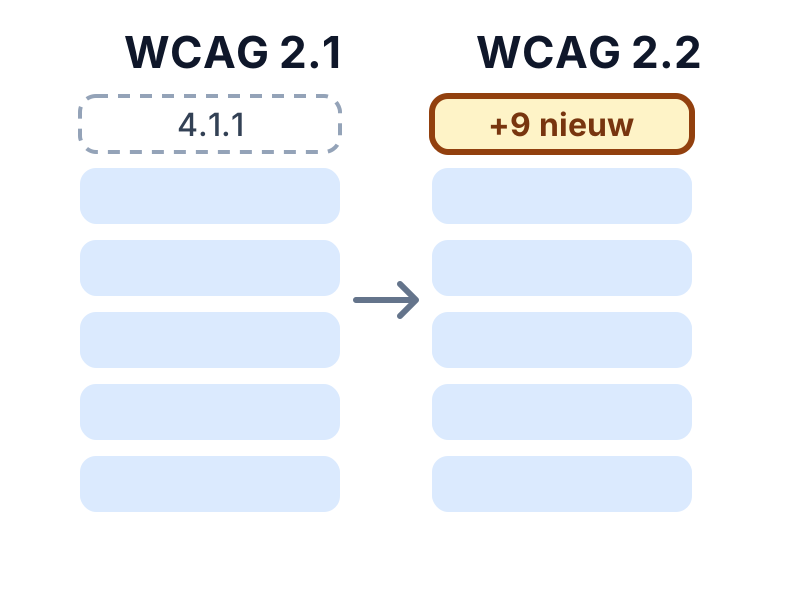
- WCAG 2.2 adds nine success criteria: two at level A, four at level AA and three at level AAA.
- Criterion 4.1.1 (Parsing) has been removed, because browsers and assistive technology now catch small errors in a page's code themselves.
- All other criteria from WCAG 2.1 still apply. Anyone who meets WCAG 2.2 also meets WCAG 2.1 in practice.
- For level AA, six criteria are added: two from level A and four from level AA.
The new success criteria in WCAG 2.2
The names are loosely rendered from the official wording. The number refers to the criterion in the official text.
| Criterion | Level | What it requires |
|---|---|---|
| 2.4.11 Focus Not Obscured (Minimum) | AA | The component with keyboard focus is not entirely hidden by other content, such as a sticky header or cookie banner. |
| 2.4.12 Focus Not Obscured (Enhanced) | AAA | The component with keyboard focus is not hidden at all. |
| 2.4.13 Focus Appearance | AAA | The focus outline is large enough and has sufficient contrast. |
| 2.5.7 Dragging Movements | AA | Whatever you do by dragging can also be done with a single click or tap. |
| 2.5.8 Target Size (Minimum) | AA | Buttons and links are at least 24 × 24 pixels or have enough space around them. |
| 3.2.6 Consistent Help | A | Help options such as contact or chat appear in the same place on every page. |
| 3.3.7 Redundant Entry | A | Do not ask again for information the visitor has already entered in the same process. |
| 3.3.8 Accessible Authentication (Minimum) | AA | Logging in does not require a cognitive test, such as remembering a password, without an alternative or aid. |
| 3.3.9 Accessible Authentication (Enhanced) | AAA | A stricter variant of 3.3.8 with fewer exceptions. |
What should you change as a website owner?
For level AA, six new criteria apply. These are the places where your site most often needs attention.
Check sticky headers and cookie banners (2.4.11)
A fixed header, chat window or cookie banner can cover the component with keyboard focus. This happens mainly when you Tab through a long page.
Tip: Tab through the page and make sure the focused component stays visible. Your developer can set up the page so there is room below the header when it scrolls.
Make buttons and links large enough (2.5.8)
Small icons, close buttons and closely placed links are often smaller than 24 × 24 pixels. Space around a small target counts.
Tip: Make the clickable area around a small button larger, even if the icon itself stays the same size.
Offer an alternative to dragging (2.5.7)
Sliders, maps, upload fields and reorderable lists often work only by dragging.
Tip: Add buttons or an input field that achieve the same result with a click.
Reduce redundant entry in forms (3.3.7)
Order and request processes often ask for the same address or email address twice.
Tip: Prefill details, or offer a choice such as 'Same as billing address'.
Make logging in accessible (3.3.8)
A login process must not depend on remembering, retyping or puzzles without an alternative. Pasting into a password field and password managers must work.
Tip: Do not block pasting and make sure password managers recognise the fields.
Put help and contact in a fixed place (3.2.6)
If contact, chat or a phone number appears on several pages, it always appears in the same place on the page.
Tip: Put the help option in the fixed header or footer.
What does not change?
You do not need to rebuild the foundations. Contrast, alternative text, headings, labels and keyboard operation remain just as important. If you have already worked on WCAG 2.1 AA, WCAG 2.2 AA is mainly an addition of six criteria.
Which version should you choose?
If you are building or improving now, aim for WCAG 2.2 AA. That also meets WCAG 2.1 AA, the version many regulations have referred to until now. Which version is mandatory for your situation depends on the law that applies to you.
AccessRadar's tests are aimed at WCAG 2.2 AA, supplemented with AI content analysis for content-related points. For the new criteria from 2.2, the keyboard test and the checklist help you get started.
Automatic tests and AI content analysis
AccessRadar combines automatic tests with AI content analysis. You see not only technical errors, but also which texts truly help your visitors.
The AI analysis reads the text of your pages and gives suggestions, for example for:
- Alternative text: does the text say something meaningful, or is it 'image', a file name or 'click here'?
- Link text: do the link text and the text around it make clear where a link leads?
- Headings and labels: do they describe the topic or the field, or are they empty words such as 'Info' or 'Field 1'?
- Page titles and forms: is it clear what a page is about and what a field expects?
You get concrete suggestions for better texts, which you pick up directly in your weekly improvement plan. This way your website moves closer to WCAG 2.2 AA suitability every week and reaches more customers.
Read how tests and AI analysis work together in the improvement plan
Read also
Practical explanations of WCAG and digital accessibility.
WCAG 2.2 Explained: the Accessibility Guidelines for Websites
What is WCAG 2.2? Read what levels A, AA and AAA mean, which requirements are central and why accessibility matters for your website.
WCAG 2.2 AA Checklist: What Should You Check on Your Website?
A practical WCAG 2.2 AA checklist per category, with explanations and tips to improve right away. Useful for owners, editors and developers.
European Accessibility Act: What Does It Mean for Your Website or Web Shop?
What does the European Accessibility Act mean for your website or web shop? Read who falls under it, since when it applies and what to do now.
Check your website for WCAG for free
Request the free WCAG check from AccessRadar and receive the results of an automatic scan by email, as a starting point for your improvements.
Want to keep going every week afterwards? The WCAG improvement plan adds weekly scans and AI content analysis.
A WCAG scan supports your assessment. An automated WCAG scan cannot establish full WCAG 2.2 AA compliance. Combine regular WCAG scans with manual evaluation and feedback from people with disabilities.
Frequently Asked Questions About WCAG 2.1 and 2.2
How many new criteria does WCAG 2.2 have?
WCAG 2.2 has nine new success criteria: two at level A, four at level AA and three at level AAA. For level AA that means six new criteria.
Why was criterion 4.1.1 Parsing removed?
The criterion asked for error-free code, so browsers and assistive technology can read a page correctly. Modern browsers and assistive technology now handle this well, so the criterion no longer added value.
Do I need to have my website tested again if I move to WCAG 2.2?
You do not need to redo everything. Mainly check the six new criteria for level AA, especially on pages with forms, logging in, fixed headers and small buttons.
What does WCAG 2.2 mean for web shops?
Pay particular attention to button size, redundant entry in the checkout process, an accessible login step and a sticky header or cookie banner that covers the focus.
Is WCAG 2.2 compatible with WCAG 2.1?
Yes. WCAG 2.2 extends 2.1. A page that meets 2.2 also meets 2.1 in practice.